Installation
Once a certified installer has set up the Inscoper hardware, connected all components, and installed both software tools (Inscoper Imaging Software and the Inscoper Configurator),together, these elements form the operational basis of the Inscoper system.
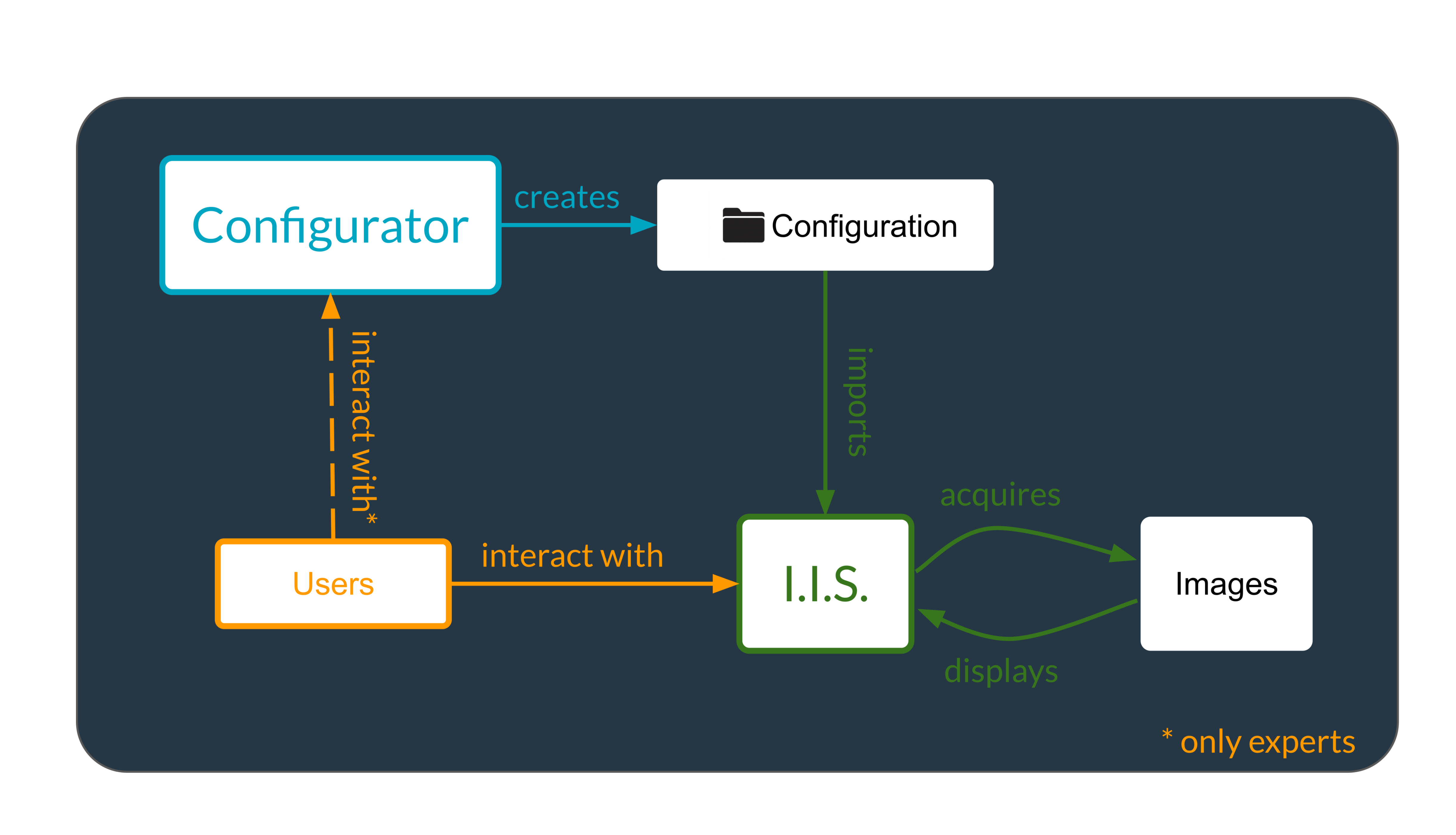
User Interactions and Software Workflow: The diagram below shows how users interact with the Imaging Software and the Configurator. It highlights how these tools work together to produce images. The goal is to clarify the functional workflow from user input to image generation.
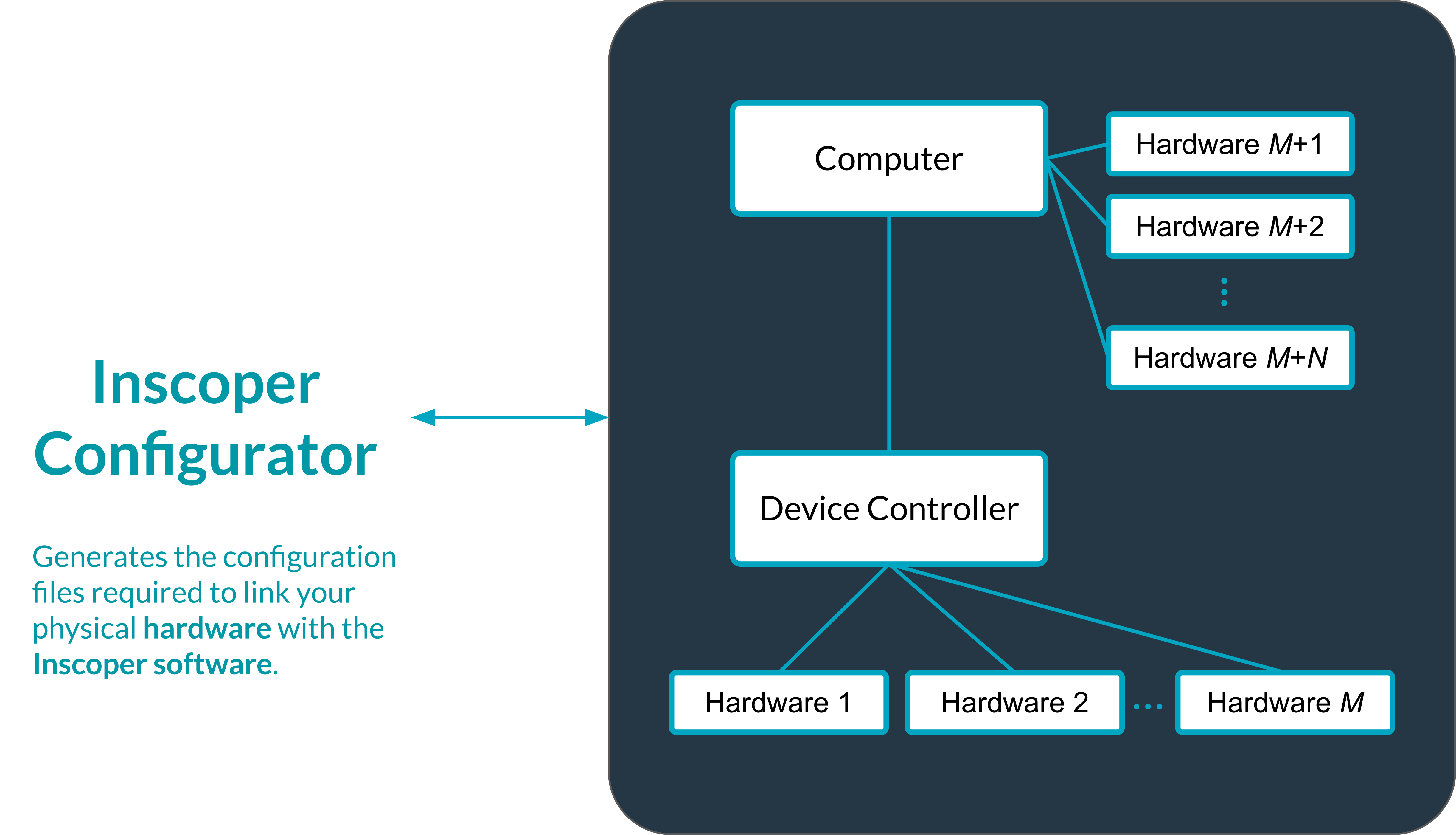
Hardware Structure and Configurator Integration: The diagram below presents the physical hardware setup and how each component is connected. It illustrates how the Configurator interprets this hardware layout. Its role is to convert the material structure into a configuration usable by Inscoper software.