
Acquisition
This tab allows you to set the entire acquisition sequence, using all the system's dimension modules.
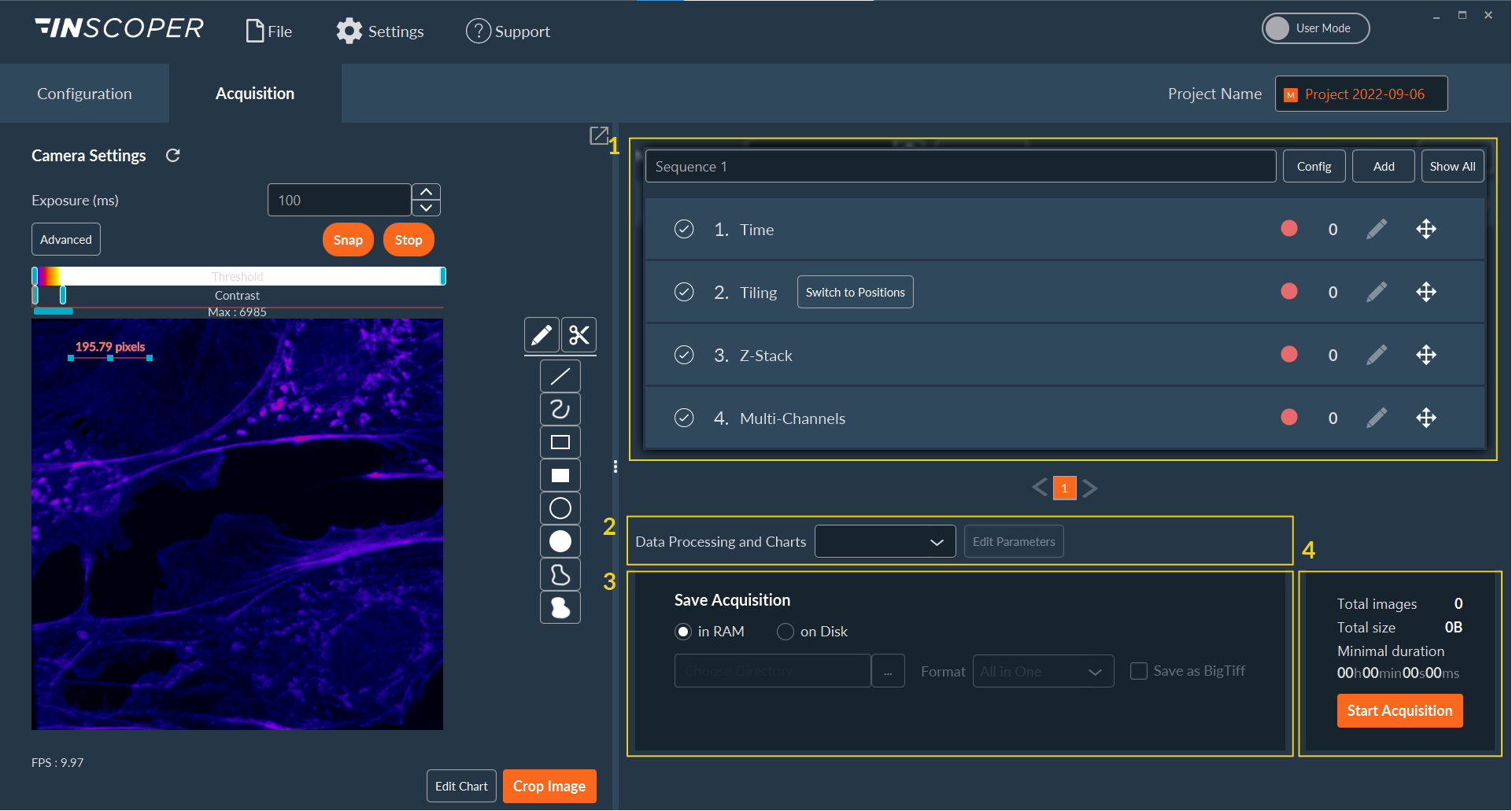
This tab can be used to prepare a multi-dimensional acquisition.
- Choose the dimension(s) from a large panel.
- Select the right data processor for your acquisition.
- Set the path for the backup files.
- Launch your acquisition.
All available dimensions are displayed in the same way. The list of UI controls for the dimensions set up is as follows.
 |
The dimension is not activated and won't be included in the acquisition sequence. Click on to activate it. |
 |
The dimension is activated and will be included in the acquisition sequence. Click to deactivate. |
 |
Dimension parameter set. |
 |
Click to set up the dimension according to your application. |
 |
Drag and drop to change the order of all dimensions to suit your needs. |