
Jump to main content
  • Imaging
  • Installation
  • Tech Specifications
  • Contact & legal
  • Releases
  1. Home
  2. Installation

    Once a certified installer has set up the Inscoper hardware, connected all components, and installed both software tools (Inscoper Imaging Software and the Inscoper Configurator),together, these elements form the operational basis of the Inscoper system.

  3. Inscoper Configurator
  4. Inscoper I.S. configuration

    When the recipe is generated, the last action is to design the interface that you will use to control your system.
  • Installation

    Once a certified installer has set up the Inscoper hardware, connected all components, and installed both software tools (Inscoper Imaging Software and the Inscoper Configurator),together, these elements form the operational basis of the Inscoper system.

    • Inscoper Configurator
      • Getting started

      • Create configuration

      • Devices setup

      • Template use

      • Connections setup

        This stage is the link between the devices and the Device Controller (DC).

      • Recipe creation

      • Inscoper I.S. configuration

        When the recipe is generated, the last action is to design the interface that you will use to control your system.

        • General
        • Display

        • Group

          This tab allows you to group the display of several settings.

        • Device Update

          This tab allows you to select the devices whose values are to be updated automatically. The interface will query the drivers (DC, custom and Micromanager) to update the device value.

        • Image Scalers

          All devices that can change the pixel size of the image should be specified in this tab. Example: objective.

        • Calibration

          Calibration means putting a dependency link between 2 sub devices. Allows to set up different calibrations for your application.

    • Glossary
Edit online

Inscoper I.S. configuration

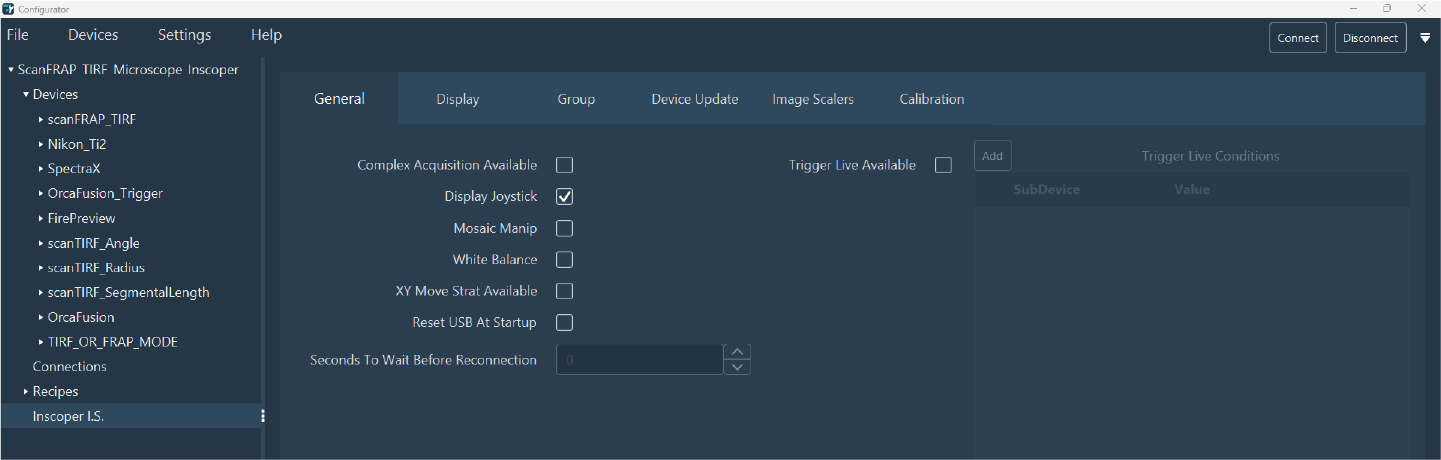
When the recipe is generated, the last action is to design the interface that you will use to control your system.

config_is_global
To configure Inscoper I.S. you have 6 steps to review:
  • General
  • Display
  • Group
  • Device Update
  • Image Scalers
  • Calibration
Footer
  • Visit INSCOPER's Commercial Website

Copyright © 2025 INSCOPER