
Visualization after acquisition
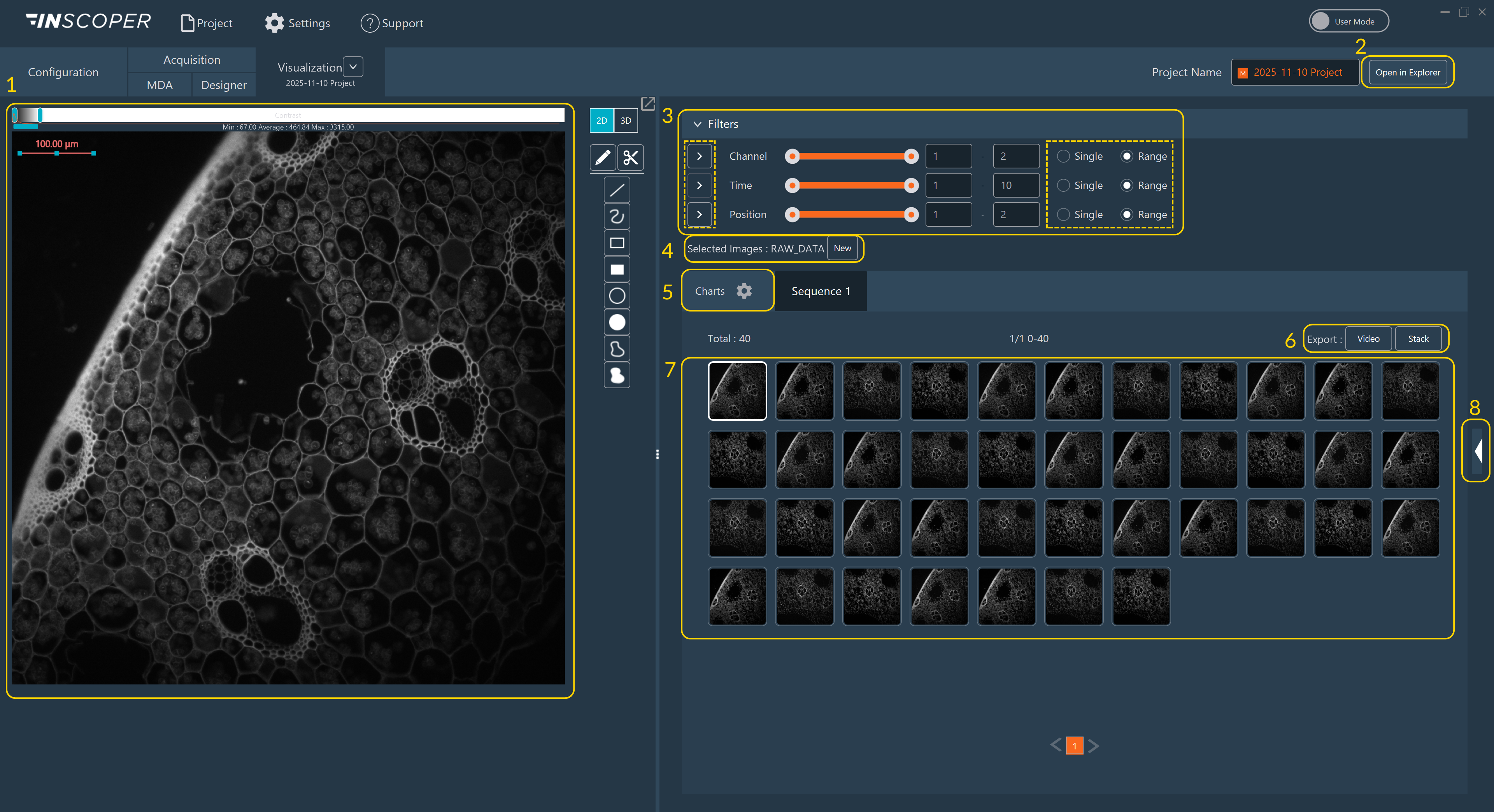
- As in the rest of the software, this part of the screen is reserved for viewing images.
- Opens the location where images are stored. Only works if you save your data to disk.
- Filters to select images by dimensions: The Inscoper I.S. offers various tools to facilitate navigation between images, such as filters for example. In the Filters section, you can select a single image or all images. The Play button next to the dimension name allows you to replay the selected sequence.
- Select image to visualize and create a new image processing.
- Button to switch to graphics visualization.
- Options to export the current acquisition sequence by video or stack.
- All acquired images.
- Metadata access.