Shutter
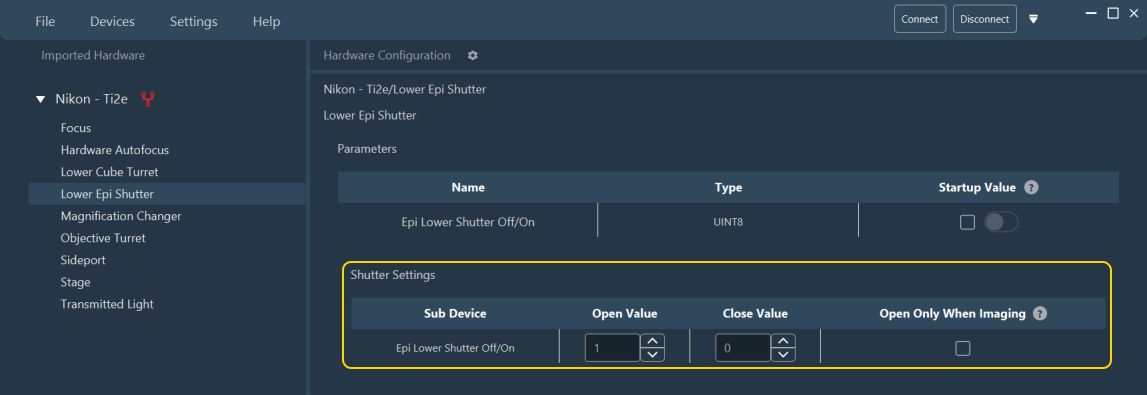
Any parameter carrying the Shutter role — from its hardware description, or chosen manually from the Ambiguous role selector when the description leaves it undetermined — gets a row in a Shutter Settings table shown in its group.
| Field | Description |
|---|---|
| Open Value, Close Value | The values that open and close the shutter. Visible only in Expert Mode. Optional; default to 1 (open) and 0 (close). |
| Open only when imaging | Whether the shutter opens only while an acquisition is running, rather than staying open continuously. Always visible. Optional; starts checked, unless the hardware description marks the device as needing to always stay updated, in which case it starts unchecked. Change it at any time to match how the instrument should behave. |
See also: Configuring a device.